
Description

We have completed as of May 2023, over 30,000+ orders!
900+ Reviews, 5 Star Rated – Excellent Rating on Trustpilot – see your yourself by clicking here!
24/7 Automated delivery with our unique delivery system – get your order without waiting for confirmation from an email/livechat or human!
Our prices are some of the lowest available on the web, with the fastest delivery available.
This Pokemon is intended to be used in Pokemon Scarlet and Violet ONLY. This Pokemon may not be possible to be moved into Pokemon Home, UNLESS it originates from the Paldea region. This CANNOT be changed as it is programmed in from Nintendo within Pokemon Home itself. NO REFUNDS will be provided for failure to acknowledge this.
Comes with:
- Pokemon will be level 100 unless Custom Level is chosen on the product page (if this is available).
- Pokemon Nickname will come as its original name, no “PokeGens.com” watermark. E.g. If you order a Pikachu, it will be called Pikachu not PokeGens.com
- Pokemon Trainer Name (OT) will be PokeGens unless Custom Trainer Name is chosen on the product page (if this is available).
How this will be delivered:
- Pokemon will be traded via Link Trade within either Pokemon Scarlet or Violet. We deliver to both games via Poke Portal Link Trade only. We do not deliver via Pokemon Home.
- 24/7 Delivery via our automated trading service.
- Simply purchase your item, and follow the instructions that are provided to you. No interaction with an email or live chat/person required.
- You will find all orders you make within https://pokegens.com/my-trades
What cannot be changed in this order:
- We only deliver using Link Trade. Please do not ask for a Pokemon Home delivery.
- We cannot accommodate specific requests/edits AFTER your order is completed. This is a fully automated service, please select your customisations before purchase.
Link Trade Guide – Pokemon Scarlet/Violet

Once you have placed your order with PokeGens.com, you will be able to collect your order 24 hours, 7 days a week when time is best for you.
To trade within Pokemon Scarlet and Violet, you will need a Nintendo Account with an active Nintendo Switch Online Subscription (NSO). No other details are required from you, simply follow the below steps:
- While in the Overworld (the area where you play the actual game, where you can see your character) Press the X button on your right Joy-Con to open the game menu.
- Select Poke Portal from the menu.
- Press L shoulder button on your left Joy-Con to connect to the Internet. In the top right of your screen, you should see “Online Mode”. This is very important – ensure you see this message before continuing.
- Choose Link Trade (3rd option in the list, under Tera Raid Battle) and then Set Link Code.
- Navigate to our Trading page. All orders you place will begin from within this page. Find your order, and click the Start Trade button.
- Read the instructions presented to you very carefully. You will be given the Link Code in this window, along with the status of your order.
- After entering the Link Code on your device, select Begin Searching and wait for the game to connect you, with us.
- If you see, “No one could be found!”, please try a few more times. Pokemon Scarlet and Violet have very short pairing times for Link Trades.
- IMPORTANT: During the trade, you will need to select the A button on your right Joy-Con at the “Attention!” screen to continue, after each single trade. If you do not do this, the bot will leave the trade and you will need to start over.
Reviews (0)
Only logged in customers who have purchased this product may leave a review.
Related products
Sale!

Scarlet/Violet
Original price was: £1.18.£1.02Current price is: £1.02.
Sale!


Scarlet/Violet
Original price was: £1.18.£1.02Current price is: £1.02.
Sale!

![Alternative view of Jumpluff [SV]](https://pokegens.com/wp-content/uploads/2022/11/Jumpluff-gallery-image-247x250.png)
Scarlet/Violet
Original price was: £1.18.£1.02Current price is: £1.02.
Sale!

Scarlet/Violet
Original price was: £1.18.£1.02Current price is: £1.02.
Sale!
Scarlet/Violet
Original price was: £1.99.£1.47Current price is: £1.47.
Sale!
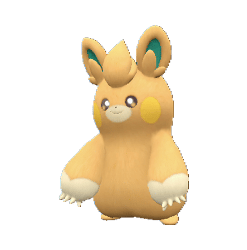
![Alternative view of Pawmo [SV]](https://pokegens.com/wp-content/uploads/2022/11/pawmo-gallery-image-247x250.png)
Scarlet/Violet
Original price was: £1.18.£1.02Current price is: £1.02.
Sale!

![Alternative view of Fuecoco [SV]](https://pokegens.com/wp-content/uploads/2022/11/Fuecoco-gallery-image-247x250.png)
Scarlet/Violet
Original price was: £1.99.£1.47Current price is: £1.47.
Sale!


Scarlet/Violet
Original price was: £1.18.£1.02Current price is: £1.02.

 My Orders
Reviews
There are no reviews yet.